

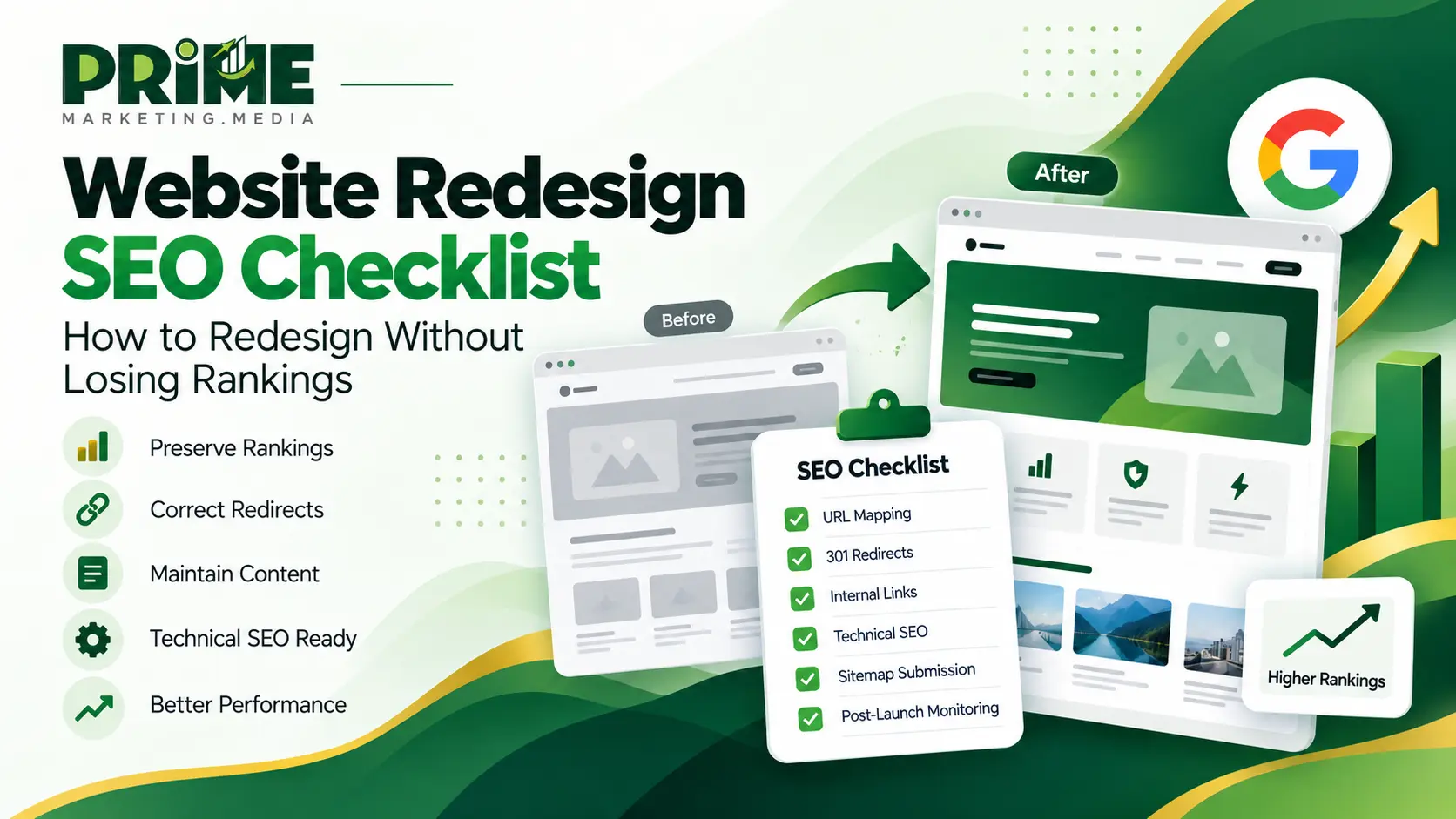
A website redesign can improve your brand, user experience, mobile usability, conversions and website performance. It can also damage years of SEO work if URLs, content, internal links and technical signals are changed without a proper migration plan.
The safest approach is to integrate SEO into the redesign process from the beginning. SEO should not be treated as a final check after development is complete.
Quick Answer
To redesign a website without losing SEO, first crawl and benchmark the existing site. Preserve valuable URLs where possible, map changed URLs to the most relevant new pages, implement permanent 301 redirects, maintain useful content, rebuild internal links, verify canonical and indexation signals, submit a clean XML sitemap and monitor Google Search Console after launch.
Businesses planning a major redesign can explore our Website Redesign Services.
Why Website Redesigns Can Hurt SEO
A website redesign does not automatically cause rankings to decline. Problems usually appear when several important SEO elements are changed at the same time without being documented, mapped and tested.
A redesign may affect:
- URLs
- Website templates
- Heading structure
- Page copy
- Navigation
- Internal links
- Structured data
- SEO titles and meta descriptions
- JavaScript
- Mobile layout
- Hosting
- Page speed
- Canonical tags
- XML sitemap structure
Search engines already understand the relationships, history and signals associated with your current website. When many of those signals change simultaneously, search engines need to reassess the site.
The objective of a successful redesign is to improve the website while preserving the SEO value that has already been built.
Phase 1: Before the Website Redesign
1. Crawl the Existing Website
Before development begins, create a complete inventory of the current website. This gives you a technical baseline and reduces the risk of valuable pages disappearing during development.
Record important information such as:
- URL
- HTTP status code
- SEO title
- Meta description
- H1 heading
- Canonical URL
- Indexability
- Internal links
- Structured data
- Page purpose
- Existing redirects
- Important images and media
Keep the original crawl after launch. It can be used to compare old and new URLs, titles, headings, canonical tags and indexation signals.
2. Export Google Search Console Data
Google Search Console helps identify which pages currently generate organic visibility.
Review and export:
- Pages generating organic clicks
- Pages receiving impressions
- Top branded queries
- Top non-branded queries
- High-performing landing pages
- Important ranking queries
- Indexing issues
- Canonicalization issues
A page may look visually outdated while still generating valuable organic traffic. Do not remove or completely rewrite it until you understand its SEO value.
3. Export Analytics and Conversion Data
Rankings and traffic do not tell the complete story. You should also record the business results generated by the existing website.
Benchmark:
- Organic traffic
- Top organic landing pages
- Lead form submissions
- Phone calls
- Sales
- Bookings
- Conversion rate
- Revenue from organic traffic where available
This allows you to compare the redesigned website against the previous version after launch.
For detailed SEO measurement and reporting, explore our SEO Tools & Analytics Services.
4. Decide Which URLs Should Stay
If the purpose of a page is not changing, keeping its existing URL is usually the lowest-risk option.
For example, if this URL already represents your SEO service:
/seo-services/there may be no SEO benefit in changing it to something like:
/services/search-engine-optimization-company/Changing URLs without a genuine structural, usability or strategic reason creates unnecessary redirects and additional migration risk.
5. Create a URL Redirect Map
If important URLs must change, create a redirect map before launch.
The basic structure should be:
Old URL → 301 Redirect → Most Relevant New URLEach old page should redirect to the closest relevant replacement.
Avoid redirecting dozens of unrelated URLs to the homepage simply to avoid 404 errors. This creates a poor experience for users and weakens the contextual relationship between the old and new pages.
6. Identify Content That Should Be Preserved
A redesign should improve how useful information is presented rather than automatically removing it.
Before deleting content, ask:
- Does this page rank for valuable keywords?
- Does it attract backlinks?
- Does it generate leads or sales?
- Does it answer important customer questions?
- Does it support another important page?
- Does it demonstrate expertise?
- Does it provide useful information that competitors do not?
Content can be reorganized and improved while preserving the information that already contributes to organic visibility.
Phase 2: During Website Development
7. Keep the Staging Website Out of Search
Development and staging websites should normally not compete with the live website in search results.
Common methods include:
- Password protection
- Server-level access restrictions
- Noindex directives where appropriate
Before launching the production website, confirm that staging restrictions have not accidentally been copied to the live site.
Launching a redesigned website with a global noindex directive can cause serious organic visibility problems.
8. Preserve Search Intent
A redesigned page should continue to satisfy the search intent that made the previous version useful.
For example, a page ranking for WordPress development services should not become a visually attractive page containing only a short paragraph and several images.
Design should improve communication, usability and conversions without removing information that users need.
For professional WordPress projects, explore our WordPress Website Development Services.
9. Preserve Important On-Page SEO Elements
Review important on-page signals during development.
- SEO titles
- Meta descriptions
- H1 headings
- H2 and H3 structure
- Introductory content
- Service descriptions
- Image alt text
- Internal links
- Canonical tags
- Structured data
Weak elements can be improved during a redesign, but valuable signals should not disappear accidentally.
10. Rebuild Internal Links Properly
Internal linking frequently changes during a redesign because navigation, templates and page layouts change.
Important pages should remain accessible through normal crawlable links.
A clear web development structure may look like this:
This structure helps users and search engines understand the relationship between the main service and its supporting services.
11. Improve Mobile Experience
The redesigned website should work properly across desktop, tablet and mobile devices.
Check:
- Navigation
- Forms
- Buttons
- Font sizes
- Spacing
- Sticky elements
- Images
- Tables
- Popups
- Calls to action
A website can look excellent on a desktop screen while providing a frustrating mobile experience.
12. Improve Core Web Vitals
A redesign is an opportunity to improve performance rather than making the site heavier.
Important Core Web Vitals include:
- LCP: Largest Contentful Paint
- INP: Interaction to Next Paint
- CLS: Cumulative Layout Shift
Common redesign performance problems include:
- Oversized hero images
- Heavy JavaScript
- Unnecessary animations
- Third-party widgets
- Unoptimized fonts
- Large background videos
- Too many scripts loading on every page
Visual improvements should not come at the cost of usability and loading performance.
13. Optimize Images
Images should be optimized for both visual quality and performance.
Best practices include:
- Use appropriate image dimensions
- Compress images before upload
- Use WebP or another suitable modern format where appropriate
- Use descriptive filenames
- Add meaningful alt text
- Lazy-load below-the-fold images where appropriate
Avoid uploading an extremely large image when the design displays it at a much smaller size.
14. Preserve Structured Data
If the existing website uses valid structured data, ensure redesigned templates do not accidentally remove it.
Depending on the page type, useful schema may include:
- Organization
- BreadcrumbList
- Article
- Product
- LocalBusiness
- VideoObject
Structured data should accurately represent information that users can see on the page.
15. Check Canonical Tags
Canonical errors can cause serious indexing problems even when a website appears normal to users.
Check that:
- Important pages use the correct canonical URL
- Canonical URLs use HTTPS
- Staging domains are not referenced
- Old domain references have been removed
- Canonical targets are indexable
- Pages are not accidentally canonicalized to the homepage
16. Check Robots.txt and Noindex Directives
Before launch, verify that:
- Important pages are crawlable
- Important pages are indexable
- Robots.txt does not block critical resources or sections
- Staging noindex rules have been removed
- XML sitemap URLs are accessible
A technically strong redesign cannot perform in organic search if important pages are blocked from crawling or indexing.
Phase 3: Website Launch Day
17. Test Every Redirect
Every changed important URL should redirect correctly to its intended destination.
The ideal structure is:
Old URL → 301 → Correct New URLAvoid unnecessary redirect chains such as:
Old URL → URL B → URL C → Final URLWhere possible, redirect directly from the old URL to the final destination.
18. Crawl the Production Website
Immediately after launch, crawl the live website and check for technical problems.
Look for:
- 404 errors
- Broken internal links
- Broken images
- Redirect chains
- Duplicate titles
- Missing SEO titles
- Missing H1 headings
- Unexpected noindex tags
- Canonical errors
- Blocked resources
Do not wait for Google Search Console to discover all technical problems first.
19. Test Lead Forms and Conversion Tracking
A redesigned website may appear perfect while silently losing leads because a form, email notification or conversion event has stopped working.
Test:
- Contact forms
- Quote forms
- Lead generation forms
- Booking forms
- Email notifications
- Call buttons
- Thank-you pages
- Analytics tracking
- Conversion events
If your website depends on enquiries or sales, conversion testing is just as important as checking rankings.
20. Submit a Clean XML Sitemap
The XML sitemap should contain the canonical and indexable URLs you actually want search engines to discover.
Include:
- Current canonical pages
- Indexable service pages
- Important articles
- Current production URLs
Avoid including:
- 404 pages
- Redirected URLs
- Noindex pages
- Spam URLs
- Duplicate URLs
- Staging URLs
- Unnecessary parameter URLs
Submit the updated sitemap through Google Search Console after launch.
Phase 4: After the Website Launch
21. Monitor Google Search Console
Search Console should be monitored closely during the first days and weeks after a redesign.
Monitor:
- Indexed URLs
- Not indexed URLs
- Crawl errors
- Server errors
- Organic impressions
- Organic clicks
- XML sitemap status
- Canonicalization
- Core Web Vitals
Unexpected changes should be investigated quickly before they become larger problems.
22. Compare Performance Against the Old Website
Use the benchmark created before launch to evaluate the redesigned website.
Compare:
- Organic clicks
- Organic impressions
- Conversions
- Ranking groups
- Top landing pages
- Indexed pages
- Conversion rate
Do not evaluate a redesign based on the movement of one keyword. Look at broader patterns across pages, queries and conversions.
23. Keep Important Redirects Active
Do not remove important 301 redirects immediately after Google discovers the new pages.
Old URLs may still appear in:
- Backlinks
- Bookmarks
- Old emails
- Partner websites
- Documents
- Search engine databases
Keeping relevant redirects active protects users and maintains a clear migration path.
24. Review AI Search Readiness
Modern website redesign should also consider how clearly content can be understood by AI-assisted search and retrieval systems.
Useful pages should include:
- Clear and descriptive headings
- Direct answers to important questions
- Accurate factual information
- Visible authorship where appropriate
- Meaningful internal links
- Original examples and expertise
- Useful images and media
- Clear descriptions of products or services
Do not create artificial content purely for AI systems. Focus on making information easier for real users to understand, verify and use.
Complete Website Redesign SEO Checklist
| SEO Task | Before | During | Launch | After |
|---|---|---|---|---|
| Crawl the existing site | ✓ | |||
| Export Search Console data | ✓ | |||
| Export analytics and conversions | ✓ | |||
| Preserve valuable URLs | ✓ | ✓ | ||
| Create redirect map | ✓ | ✓ | ✓ | |
| Preserve valuable content | ✓ | ✓ | ||
| Protect staging environment | ✓ | |||
| Check canonicals | ✓ | ✓ | ||
| Check internal links | ✓ | ✓ | ||
| Validate structured data | ✓ | ✓ | ||
| Test performance | ✓ | ✓ | ✓ | |
| Test redirects | ✓ | ✓ | ||
| Test forms and conversions | ✓ | ✓ | ||
| Submit XML sitemap | ✓ | |||
| Monitor Search Console | ✓ | ✓ |
Should You Redesign or Completely Rebuild Your Website?
A website redesign and a complete rebuild are not always the same project.
Website Redesign
A redesign may focus mainly on:
- Visual appearance
- User experience
- Layout
- Brand presentation
- Mobile usability
- Conversion paths
Website Rebuild
A full rebuild may involve:
- A new CMS
- A new codebase
- A new website architecture
- New page templates
- New functionality
- A new hosting environment
The larger the technical change, the more important a detailed SEO migration plan becomes.
Businesses planning a complete rebuild can explore our Web Development Services.
When Should You Hire Professional Help?
Professional SEO and development support becomes particularly important when the website already generates meaningful business value.
Consider specialist support when:
- Organic traffic is commercially important
- The website contains many URLs
- The CMS is changing
- The domain is changing
- Ecommerce functionality is involved
- Complex redirects are required
- Organic leads generate significant revenue
- Analytics and conversion tracking must remain intact
For ongoing technical support after launch, explore our Website Maintenance Services.
Final Verdict
A website redesign should improve your digital presence without throwing away the SEO value you have already built.
The safest process is to crawl and benchmark the existing site, preserve valuable URLs, create an accurate redirect map, protect useful content, rebuild internal links, validate technical SEO and monitor organic performance immediately after launch.
When SEO, development, content and user experience are planned together, a redesign can strengthen your website instead of putting existing rankings and traffic at unnecessary risk.
For a redesign focused on usability, performance, SEO and conversions, explore our Website Redesign Services.
Website Redesign SEO FAQs
Can a website redesign hurt SEO?
Can a website redesign hurt SEO?
Yes. Rankings can decline when important URLs, content, internal links, canonical tags, structured data or indexation settings are changed incorrectly. A properly planned migration can significantly reduce this risk.
Should I change URLs during a website redesign?
Should I change URLs during a website redesign?
Only when there is a clear reason. If the page purpose remains the same and the existing URL already performs well, keeping it can reduce migration complexity and unnecessary SEO risk.
What should I do if an existing URL must change?
What should I do if an existing URL must change?
Map the old URL to the closest relevant replacement and implement a permanent 301 redirect. Internal links should also be updated so they point directly to the new URL instead of relying on redirects.
Should a staging website be indexed by Google?
Should a staging website be indexed by Google?
Usually no. Development and staging environments should normally be protected from search engines so unfinished or duplicate versions of production content do not appear in search.
How soon should SEO be checked after a redesign?
How soon should SEO be checked after a redesign?
Immediately. Crawl the live website on launch day, test redirects and forms, verify canonical and indexation signals, submit the XML sitemap and monitor Search Console closely during the following days and weeks.
How long should 301 redirects remain after a redesign?
How long should 301 redirects remain after a redesign?
Important redirects should generally remain active long term because old URLs can continue receiving visits from backlinks, bookmarks, emails and historical search engine records.

